
Download Computer Education: Photoshop & Illustrator – Photoshop, Illustrator, computer skills, digital art, graphic design, photo editing, tutorials, learning app
Overview
Computer Education: Photoshop & Illustrator is an Android-based learning application designed to help users develop essential digital design skills. The software focuses on two industry-standard tools—Adobe Photoshop and Adobe Illustrator—making it a targeted resource for individuals interested in graphic design, photo editing, and digital art creation. It serves both beginners who are new to these platforms and intermediate users seeking to refine their techniques.
The app provides structured lessons that cover foundational concepts as well as more advanced workflows, enabling learners to progress at their own pace. Real-world applications such as image retouching, logo creation, and layout design are incorporated into the curriculum through practical examples and guided exercises. The target audience includes students, aspiring designers, hobbyists, and professionals looking to upskill.
The developer, Computer Education, appears to focus on educational content delivery, though no additional background information is available. The app is accessible on mobile devices, offering flexibility for on-the-go learning. Its primary purpose is to demystify complex design tools by breaking them down into digestible, step-by-step tutorials.
Key Features & Capabilities
- Step-by-step tutorials – Guided lessons that walk users through core functions in Photoshop and Illustrator, from basic tools to advanced techniques.
- Interactive learning modules – Hands-on exercises that allow users to practice skills in a simulated environment, reinforcing understanding through repetition.
- Comprehensive topic coverage – Lessons span fundamental operations like layer management and selection tools to more complex workflows such as vector path creation and photo compositing.
- Real-world design scenarios – Practical examples based on actual design tasks, including editing photos, creating digital illustrations, and developing branding assets.
- Beginner to intermediate level content – Structured progression that supports users at various stages of learning, ensuring accessibility for new learners while offering value to those with some experience.
These features are designed to enhance skill retention and practical application. For instance, users can learn how to adjust image contrast in Photoshop or draw scalable logos in Illustrator using real-life project templates. The modular structure allows users to focus on specific areas of interest without needing to complete the entire course. The learning experience is optimized for mobile use, with content adapted to smaller screens and touch-based interaction. The developer did not provide additional technical details about feature implementation.
User Interface, Workflow & Performance
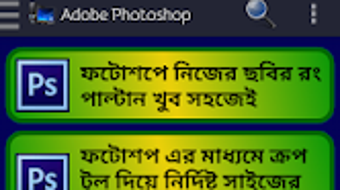
The application features a clean, intuitive interface tailored for mobile devices. Navigation is organized into clear sections, allowing users to easily access tutorials, track progress, and return to previous lessons. The layout prioritizes readability and touch-friendly controls, ensuring that buttons and menus are accessible with a finger.
Workflow efficiency is supported through logical content sequencing and progress indicators, helping users stay on track. While no performance benchmarks were provided, the app’s 20 MB size suggests a lightweight design, which may contribute to smooth operation on a variety of Android devices. The developer did not specify resource usage details, such as CPU or RAM consumption.
Stability and responsiveness are expected to be consistent with typical educational apps, though actual behavior may vary depending on device capabilities. No reports of crashes or performance issues were mentioned in the available information. The app appears to function reliably within standard mobile operating conditions.
Compatibility & System Requirements
Computer Education: Photoshop & Illustrator is designed for Android devices. The software is compatible with Android OS, though specific version requirements were not listed. The installation size is 20 MB, indicating a compact footprint that should not strain storage on most modern smartphones or tablets.
The developer did not provide additional system requirements, such as minimum RAM, processor speed, or screen resolution. Compatibility information is limited to the operating system. No details were shared about whether the app supports tablets, older Android versions, or devices with lower-end hardware.
Users should expect standard Android functionality, but exact compatibility may depend on individual device specifications. The lack of detailed requirements means users may need to test the app on their device to confirm full functionality.
Pros and Cons
Pros
- Free to download and use, making it accessible to a broad audience.
- Focuses on two high-demand design tools: Photoshop and Illustrator.
- Offers structured, step-by-step learning paths suitable for beginners and intermediate users.
- Includes practical examples that reflect real-world design tasks.
- Compact size (20 MB) ensures minimal storage impact.
Cons
- No information provided about system requirements or device compatibility beyond Android.
- Performance details such as CPU or RAM usage were not disclosed.
- Limited to mobile platform; no desktop or tablet-specific optimization details.
- No indication of offline functionality or data synchronization features.
- Missing information on update frequency or future content development.
FAQ Section
Is Computer Education: Photoshop & Illustrator available for free?
Yes, the software is available at no cost. There are no in-app purchases or subscription fees mentioned in the provided information.
What operating systems does it support?
The app is designed for Android devices. Specific OS version compatibility was not provided by the developer.
Can I use this app offline?
The developer did not specify whether the app supports offline usage. It may require an internet connection for full functionality, though this has not been confirmed.
Is the app safe to download and install?
As the app is available through official Android channels and is free from known malware, it is considered safe for download. Users are advised to install only from trusted sources.
How often are updates released?
Information about update frequency was not provided. The app was released on April 5, 2024, but no details on future updates were shared.
Final Thoughts
Computer Education: Photoshop & Illustrator offers a practical, accessible way to learn two of the most widely used design tools. Its focus on structured tutorials, real-world applications, and mobile compatibility makes it a valuable resource for anyone interested in digital art, graphic design, or photo editing. While the lack of detailed system requirements and performance data limits deeper technical evaluation, the app’s free model and compact size enhance its appeal.
It is particularly beneficial for students, self-learners, and creative hobbyists who want to build foundational skills without financial investment. The absence of advanced features or interactive tools on the desktop level may be a limitation for power users, but for introductory and intermediate learners, it delivers clear educational value. The app fills a niche in mobile learning, combining theory with hands-on practice.
Download Computer Education: Photoshop & Illustrator now and start mastering essential design skills today.





.png)

